
User Guide
Model Marketplace and Leaderboard
Browse pricing information and status of AI models enabled on the platform; view usage rankings and trends of platform models and providers.
Model Marketplace
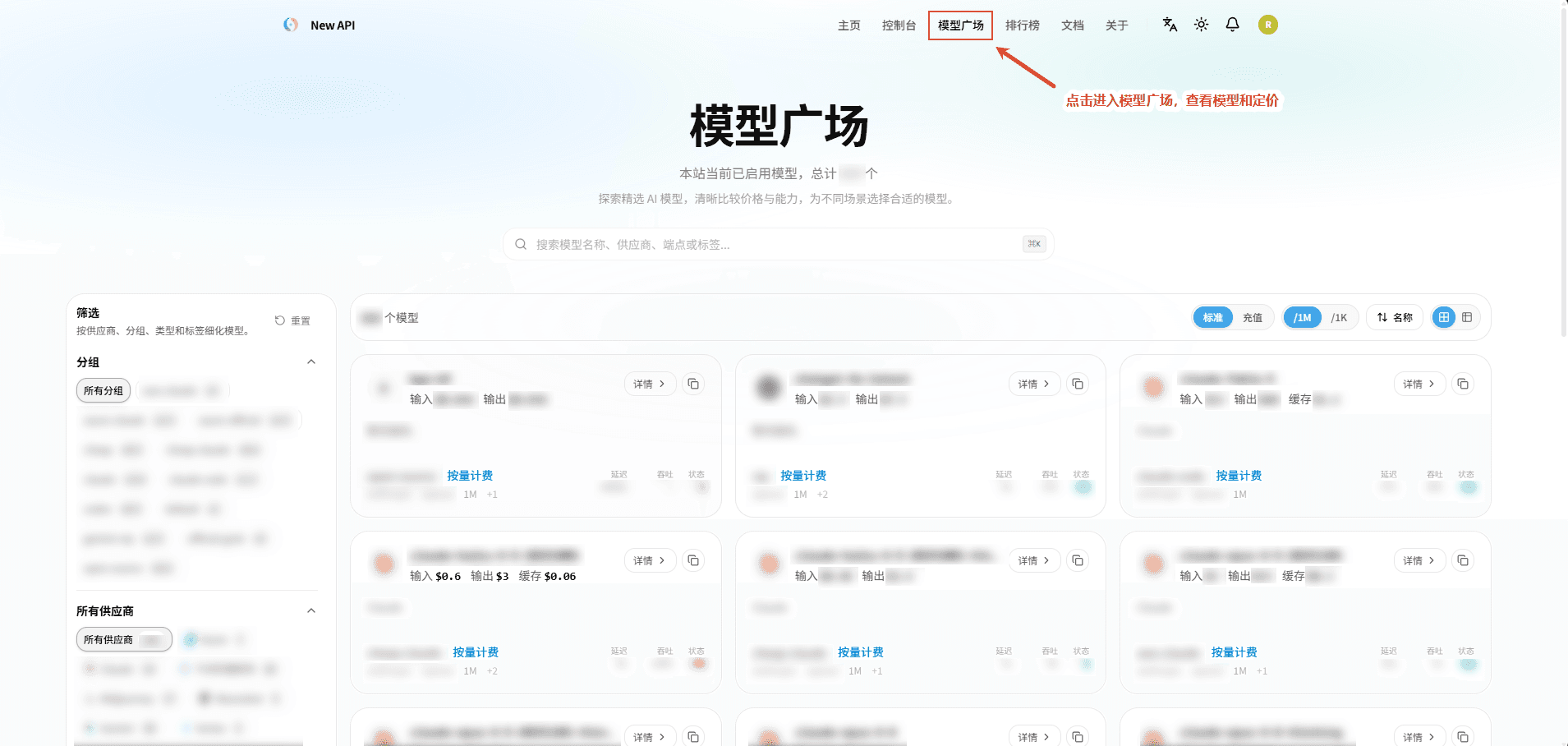
- Click "Model Marketplace" in the top right corner or visit
/pricingto enter the Model Marketplace. The page displays prices publicly available to users on the platform, which may not be the same as the original prices from upstream service providers. - The Model Marketplace is used to browse AI models enabled on the platform, compare providers, billing prices, performance, and operational status of different models, helping users choose models suitable for their business scenarios.
- Model Search: Supports quickly finding target models based on model name, provider, endpoint, or tags.
- Model Filtering: Supports filtering models by conditions such as Group, provider, model type, and tags, and can also reset all filter conditions.
- Price Viewing: Displays input, output, and cache prices of models, and indicates billing methods such as pay-as-you-go.
- Pricing Toggle: Supports switching between standard prices and top-up prices, and allows viewing prices per 1M Tokens or per 1K Tokens.
- Model Sorting: Supports adjusting the display order of models based on conditions such as model name.
- Display Mode: Supports switching between grid view and list view.
- Performance Information: Displays model latency, throughput, and current operational status, facilitating evaluation of model availability and responsiveness.
- Model Details: Click "Details" to view the model's complete introduction, capabilities, and related configuration information.
- Copy Model Name: Click the copy button to quickly copy the model name, convenient for use in API calls or system configurations.
Leaderboard
- Click "Leaderboard" in the top right corner or visit
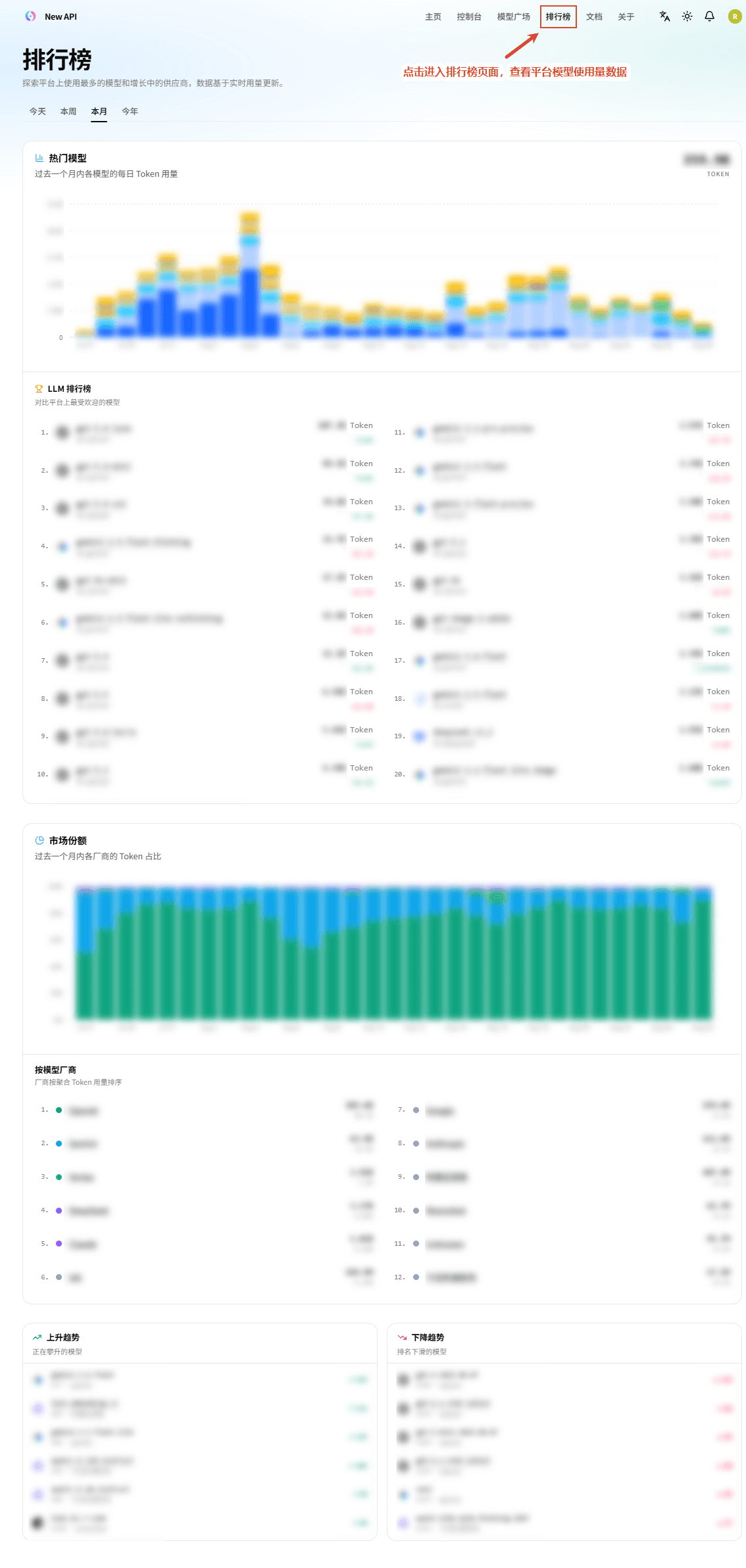
/rankingsto enter the Leaderboard. - The Leaderboard is used to view usage rankings and trends of platform models and providers, with data updated in real-time based on Token usage.
- Time Range Toggle: Supports viewing ranking data for different time ranges by Today, This Week, This Month, and This Year.
- Popular Models: Displays daily Token usage for each model via charts, facilitating comparison of model popularity.
- LLM Leaderboard: Displays the most popular models on the platform and their rankings based on Token usage.
- Market Share: Displays the proportion of Token usage for different model providers and daily changes.
- Model Provider Ranking: Ranks model providers based on total Token usage, facilitating understanding of each provider's usage scale.
- Upward Trend: Displays models with improving rankings and their rank changes.
- Downward Trend: Displays models with declining rankings and their rank changes.
Root (system administrator) can configure the display status and access permissions of "Model Marketplace" and "Leaderboard" in the top navigation. View settings documentation →
How is this guide?
Last updated on